Purpose and Scope
This brief proposes a wearable Distress Alert Device for frontline and maintenance employees working within the station environment, supported by a staffed Distress Alert Desk. It is a concept-level overview of how the system would function technically and operationally within NYCT's existing infrastructure, not an implementation plan.
The brief includes a system flow diagram and a Technical Reference section for detailed review.
Executive Summary
The need. During an acute medical emergency, a threat, or a physical assault, a worker may be unable to reach a phone or call out for help. Without a dedicated way to signal distress, that worker could go undetected, or help could arrive too late.
The concept. A small wearable transmitter, activated by a deliberate press, with no audio, video, or GPS. It transmits only when activated, so there is no continuous tracking of the worker.
The path. Station receivers pick up the alert and add the station and the zone/area of the station where the alert was received. The alert then travels over the existing station network and fiber to a server in the data center, which routes it to a staffed Distress Alert Desk.
The response. The Desk operator contacts 911 with a specific area of the station and notifies supervision, the station booth, and OCC Stations, plus the RCC Line Desk if the right-of-way is jeopardized. The Desk's job is speed, not assessment.
Why it fits NYCT. It builds on existing station network, fiber, and data center infrastructure. BLE is already in operational use elsewhere in NYCT, and the same station receivers could serve other applications.
Action-Drama Film
A dramatized look at the pace, pressure, and coordination behind NYCT and NYPD Transit's response to simultaneous emergencies, and where a supplemental tool like the Distress Alert Device could close the gap when a worker can't reach a phone or call out.
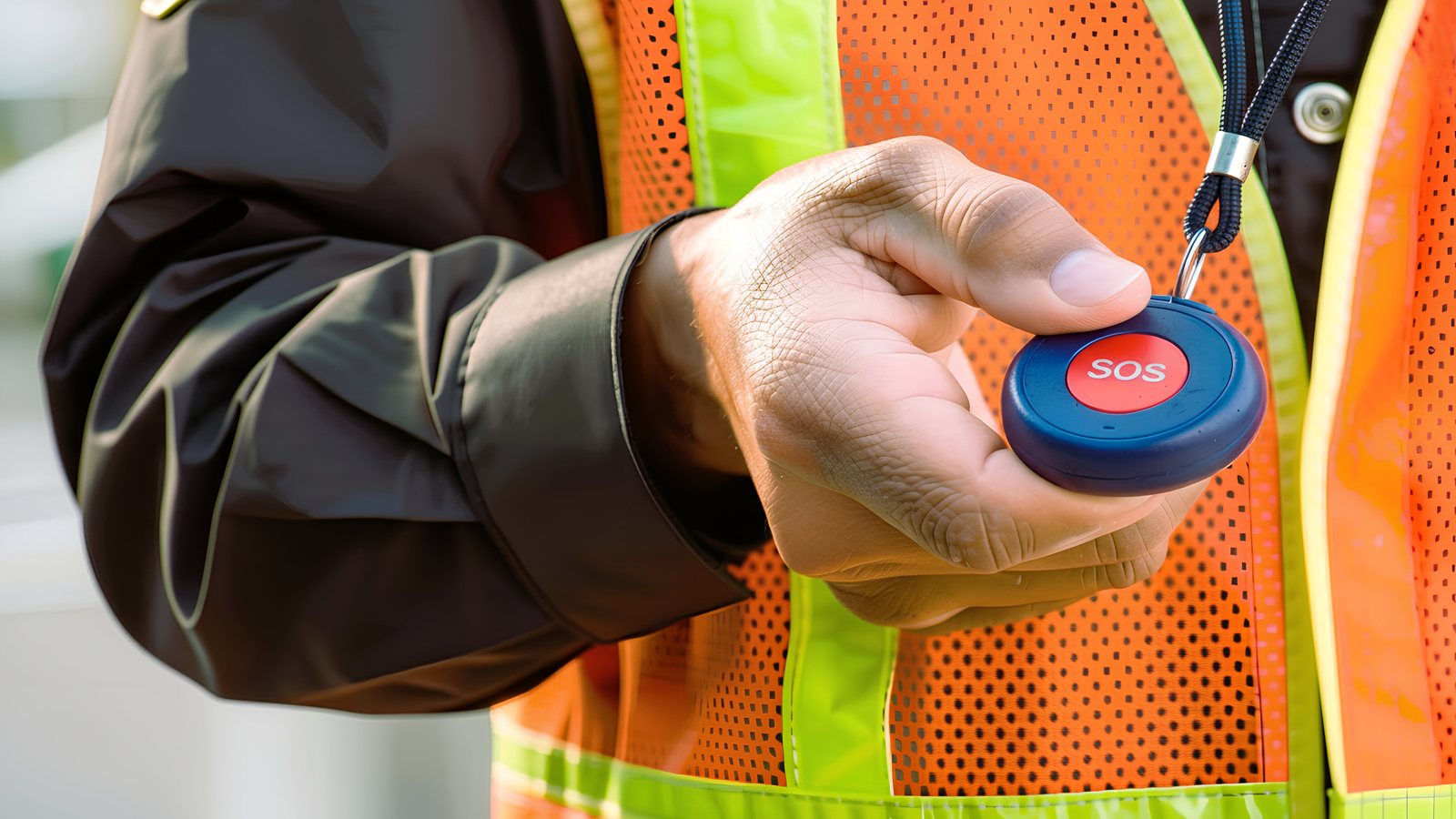
Made with AI-generated imagery. The device shown is illustrative, not a selected product. Characters are fictional; events are inspired by real situations frontline workers face.
How It Works
An alert moves through five stages, from the button press to on-scene assistance.
- Activate. The worker deliberately presses and holds the button. A brief vibration confirms activation, and the device sends short, repeated encrypted bursts.
- Receive. The nearest station receiver, or several, picks up the alert and adds where, when, and how strongly it was received, including the station and the zone/area of the station where the alert was received.
- Transport. The receiver sends the enriched alert as a prioritized IP packet over the Station LAN, the station fiber uplink, and the systemwide fiber-optic network.
- Process. The Distress Alert Server in the data center validates the alert, merges duplicates from overlapping receivers, and maps the device ID to the assigned employee's profile.
- Respond. The Distress Alert Console translates the alert into plain terms the operator can act on: who the worker is, and which station and zone/area they are in at that moment. It then guides a structured response workflow.
System Flow Diagram
View the diagram, listen to the walkthrough by chapter, or read the transcript.
Chapters
Read Transcript
Distress Alert Device: Concept & System Flow Diagram
Introduction
Worker safety is central to New York City Transit, and the Distress Alert Device supports that commitment by giving frontline and maintenance employees working within the station environment a rapid, reliable way to request immediate assistance. In this audio walkthrough, we explore how the Distress Alert Device, supported by the Distress Alert Desk, performs a worker-safety function within New York City Transit. The conceptual overview outlines how the simple, non-tracking device functions technically and operationally within NYCT's existing infrastructure. It is not an implementation plan, but a top-level system flow diagram showing how the alert travels end-to-end: from the moment an employee activates the device to how the signal is received, processed, and acted on.
The Device
We start with the wearable Distress Alert Device, conventionally known as a panic button. It is intentionally simple: a small radio-frequency transmitter with no audio, video, or GPS. One option is Bluetooth 5, using its long-range mode, known as LE Coded PHY. When a worker deliberately presses and holds the button, a brief vibration confirms activation, and the device sends short, repeated bursts. Each burst is a Bluetooth Low Energy (BLE) advertising packet containing only two elements: the device ID and a sequence number. The payload would be encrypted and use rotating or pseudonymous IDs. Each device would hold a unique key, so the system could reject spoofed or replayed packets. It transmits only when the button is activated, so there is no continuous tracking of the worker.
The Receivers and Station Network
The proposed receivers would be outdoor-rated, long-range BLE gateways. They would connect over the station's existing communication and IT infrastructure, either within the current Wi-Fi equipment enclosures using a PoE port, or in their own enclosures with a separate cable run. Both options would provide signed firmware, tamper detection, and periodic health reporting, with no inbound listening ports. They would be placed so their coverage spans the entire station and overlaps for redundancy.
The nearest receiver, or multiple receivers, scans the BLE advertising packet and adds five pieces of metadata that make the alert actionable: the receiver ID, station ID, signal strength, timestamp, and zone, or area, where the alert was received.
The receiver combines this metadata with the original advertising packet, creating an enriched BLE advertising packet. It now carries the device ID and sequence number together with where, when, and how strongly the alert was received.
Each receiver then wraps the enriched message in an IP packet and sends it over the gateway's wired Ethernet connection into the Station LAN (Local Area Network). The alert travels over either a dedicated virtual network (VLAN) or an encrypted VPN tunnel, and is given priority so it is not delayed by other network traffic.
Fiber and Data Center
From the Station LAN, the Distress Alert IP packet moves through the station's fiber uplink and into the systemwide fiber-optic network, then on to the data center, where it is processed by the Distress Alert Server. This lightweight system, either a virtual machine or a single rack-unit appliance, has a low processing load and could be hosted within existing data center infrastructure. The server validates each packet, combines duplicates from overlapping receivers into a single alert, and maps the device ID to the assigned employee's profile: name, employee ID, pass number, title, department, and reporting location, with access to that mapping restricted and logged for privacy.
Distress Alert Desk
From the server, the alert is routed to the Distress Alert Console, where it would appear alongside other real-time monitoring information. At the Distress Alert Desk, a human operator is stationed at the console and consolidates the incoming data, provides context, and is guided through a structured response workflow. The console translates the enriched packet, a set of codes and numbers, into plain terms the operator can act on: who the worker is, which station they are currently at, and what area of that station specifically.
The operator would see available mission-critical details and follow a defined set of steps:
- Contacts 911 to request police and emergency medical response
- Checks CCTV, if available, for situational awareness
- Reviews nearby alerts or events
- Notifies station supervision, and the employee's immediate supervisor, of the worker's identity and establishes a point of contact for continued updates and support
- Calls the phone in the station booth to alert the agent to an active incident and instruct them to stand by for direction from their supervisor or the Distress Alert Desk
- Informs Operations Control Center Stations of the active incident
The device is built for moments when a worker cannot reach a phone or call out for help, such as during an acute medical emergency, a threat, or a physical assault. The Distress Alert Desk's job is speed, not assessment. Every alert displays the station name and ID and the zone, or area, where it was received, so the operator can start the emergency response by directing 911 to a specific area, for example, the stairway on the south side of a northbound platform. Meanwhile, the Distress Alert Desk follows the incident through supervision and can assist in communication with other departments or agencies. If the incident jeopardizes the right-of-way, such as a worker pushed onto the roadbed or hazards near the tracks, the Rail Control Center (RCC) Line Desk is notified immediately.
Without this device, a worker in distress could go undetected, or help could arrive too late. With it, an alert activates an immediate response, and every step leads to one outcome: expedited on-scene assistance for the distressed worker.
Shared BLE Infrastructure
New York City Transit introduces new technology with reliability as a key consideration. Bluetooth Low Energy is already part of that approach: it is in operational use elsewhere in the NYCT system, specifically in train-location telemetry, where beacons on rolling stock interface with receivers in tunnel infrastructure. This indicates that BLE can be deployed with appropriate safeguards.
The Distress Alert Device is one of several applications that can share the same BLE radios in station environments. Other initiatives could include accessible wayfinding, equipment visibility, and customer-experience enhancements. Further uses, such as aggregate passenger-flow insights, maintenance coordination, and post-incident review, may build on that shared capability, but each would warrant its own evaluation and privacy review. The Distress Alert Device could therefore be part of broader modernization efforts. One set of BLE gateways can serve multiple uses, and their combined value may justify evaluating limited, carefully managed upgrades to existing station Wi-Fi equipment to host them.
Conclusion
This top-level view of the Distress Alert Device system flow diagram has followed the alert from the moment a worker activates the device, through the network, to the operational response. The objective is straightforward: a privacy-respecting and practical tool that enhances worker safety without adding unnecessary complexity. It supports employees when they are most vulnerable, in moments when they may have neither the time nor the capacity to call for help.
The proposed Distress Alert Device builds on NYCT's existing practices and functions as a supplemental mitigation, contributing to the stronger safety culture New York City Transit continues to build.
Operational Response
The operator at the Distress Alert Desk would follow a defined set of steps:
- Contact 911 to request police and emergency medical response.
- Check CCTV, if available, for situational awareness.
- Review nearby alerts or events.
- Notify station supervision and the employee's immediate supervisor of the worker's identity, and establish a point of contact for continued updates and support.
- Call the station booth phone to alert the agent to an active incident and instruct them to stand by for direction from their supervisor or the Distress Alert Desk.
- Inform Operations Control Center (OCC) Stations of the active incident.
If the incident jeopardizes the right-of-way, such as a worker pushed onto the roadbed or hazards near the tracks, the Rail Control Center (RCC) Line Desk is notified immediately. The Desk then follows the incident through supervision and can assist in communication with other departments or agencies.
Privacy and Security by Design
The device is worker-initiated and non-tracking, and safeguards would be built in at every layer of the system.
| Layer | Safeguard |
|---|---|
| Device | No audio, video, or GPS; transmits only when activated; payload limited to device ID and sequence number |
| Packet | Encrypted payload with rotating or pseudonymous IDs; a unique key per device lets the system reject spoofed or replayed packets |
| Receivers | Signed firmware, tamper detection, periodic health reporting, no inbound listening ports |
| Network | Dedicated VLAN or encrypted VPN tunnel; alert traffic prioritized |
| Server | Device-to-employee mapping with restricted and logged access |
Technical Reference
This section sets out the technical details for each system component. Each item is a proposed option at concept level, not a final specification.
Device
| Attribute | Concept detail |
|---|---|
| Form | Wearable radio-frequency transmitter, conventionally known as a panic button; no audio, video, or GPS |
| Sourcing | An existing commercial BLE wearable, selected through standard procurement and branded for NYCT; no custom hardware development, with vendor firmware configured to meet the security requirements below |
| Radio option | Bluetooth 5 in its long-range mode, LE Coded PHY |
| Activation | Deliberate press and hold; brief vibration confirms activation |
| Transmission | Short, repeated bursts of BLE advertising packets, only when the button is activated |
| Payload | Two elements only: device ID and sequence number |
| Security | Encrypted payload; rotating or pseudonymous IDs; a unique key per device so the system can reject spoofed or replayed packets |
Receivers
| Attribute | Concept detail |
|---|---|
| Hardware | Outdoor-rated, long-range BLE gateways |
| Installation options | Within current Wi-Fi equipment enclosures using a PoE port, or in their own enclosures with a separate cable run |
| Hardening | Signed firmware, tamper detection, periodic health reporting, no inbound listening ports |
| Coverage | Placed to span the entire station, with overlapping coverage for redundancy |
| Metadata added | Five elements: receiver ID, station ID, signal strength, timestamp, and zone/area where the alert was received (based on where the receiver is installed) |
| Output | Enriched BLE advertising packet (device ID and sequence number plus metadata), wrapped in an IP packet |
Network Transport
| Attribute | Concept detail |
|---|---|
| Station connection | Gateway's wired Ethernet connection into the Station LAN |
| Segmentation | Dedicated VLAN or encrypted VPN tunnel |
| Priority | Prioritized so alerts are not delayed by other network traffic |
| Backhaul | Station fiber uplink, then the systemwide fiber-optic network, then the data center |
Distress Alert Server
| Attribute | Concept detail |
|---|---|
| Form | Lightweight virtual machine or single rack-unit appliance with a low processing load |
| Hosting | Could be hosted within existing data center infrastructure |
| Functions | Validates each packet; combines duplicates from overlapping receivers into a single alert; maps the device ID to the assigned employee's profile: name, employee ID, pass number, title, department, and reporting location |
| Privacy control | Access to the device-to-employee mapping is restricted and logged |
Distress Alert Console and Desk
| Attribute | Concept detail |
|---|---|
| Display | Alerts appear alongside other real-time monitoring information |
| Translation | Enriched packet presented in plain terms: who the worker is (employee profile) and where they are at the moment of the alert (station name, STA ID, and the zone/area of the incident) |
| Staffing | Human operator stationed at the console, who consolidates incoming data, provides context, and is guided through a structured response workflow |
| Placement | Proposed within NYCT's Safety and Security department, coordinating with OCC Stations and the RCC Line Desk |
Conclusion
The objective is straightforward: a privacy-respecting and practical tool that enhances worker safety without adding unnecessary complexity.
It supports employees when they are most vulnerable, in moments when they may have neither the time nor the capacity to call for help.
The proposed Distress Alert Device builds on NYCT's existing practices and would function as a supplemental mitigation, contributing to the stronger safety culture New York City Transit continues to build.
DisclaimerThis is an independent concept developed by a New York City Transit employee, based entirely on public sources; no internal or confidential information was used. It is not an official MTA or NYCT document and is not endorsed by MTA NYCT. It is shared for discussion only and is not policy, a commitment, or legal advice. Any use would require agency review and approval. The film's characters are fictional, and its events are dramatized from the kinds of situations frontline workers face. Its imagery is AI-generated; no official agency insignia or signage are reproduced. The device shown is an illustrative approximation, not a final design or a specific product. Any resemblance to actual persons is coincidental.
©2026 Nicole N. Weedon · linkedin.com/in/nicolenweedon